kanau
“What did this cost to make?”
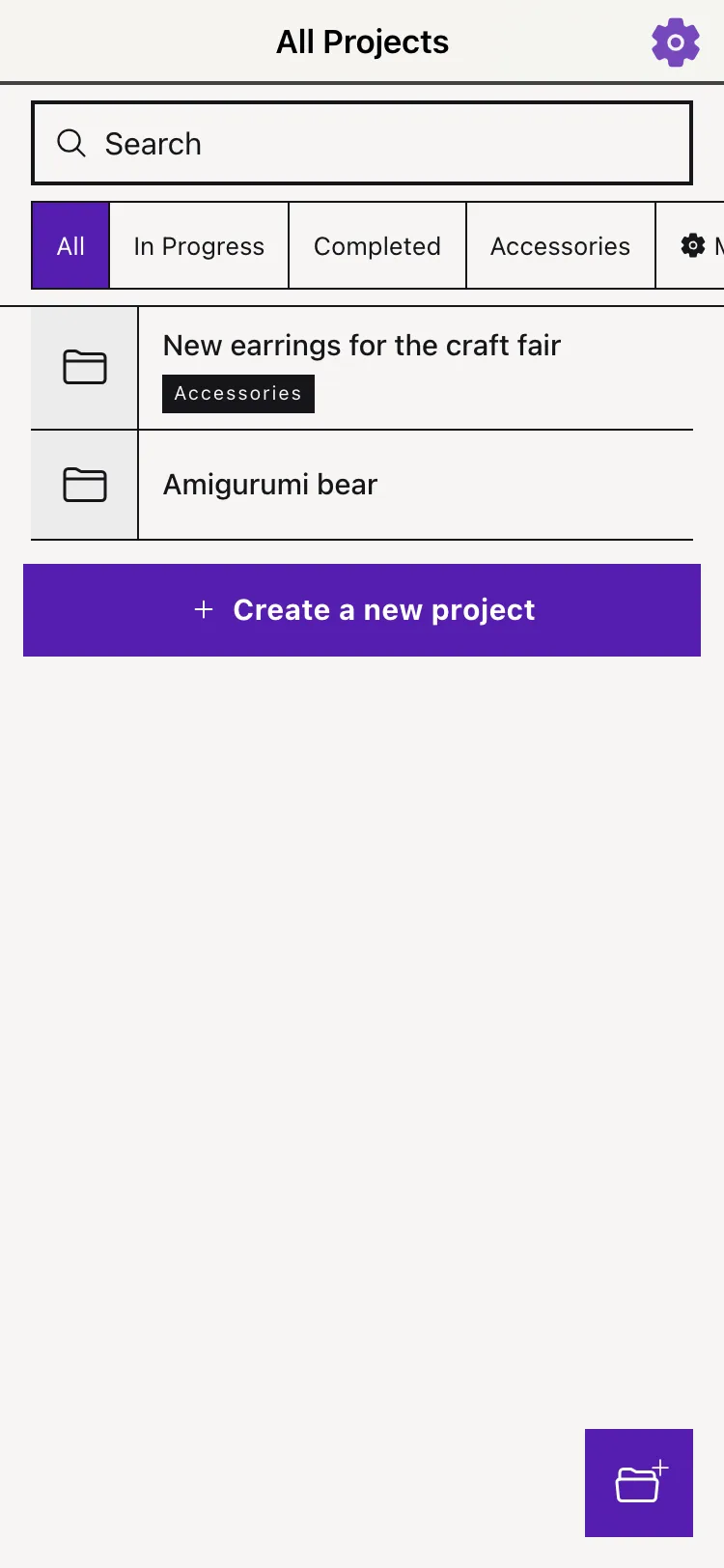
Answered. Instantly.
Drop in an item — the math is already done.
Materials, hours, true cost: Kanau keeps it all in one place.
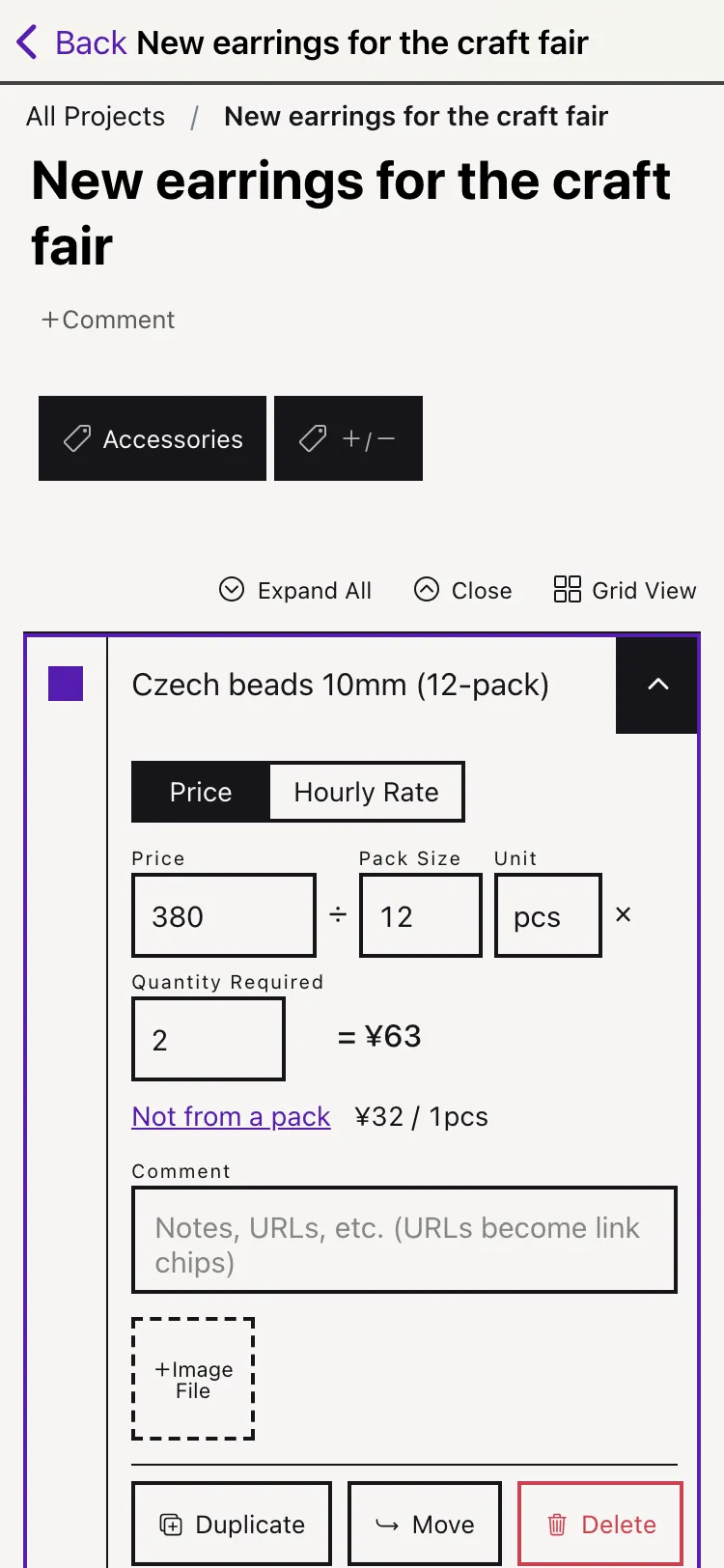
What it cost. How much you used.
That’s everything Kanau needs.
= ¥80
Pick the model that fits — per piece or per volume — and the cost of each piece falls out automatically. Add your hours at an hourly rate, and your pricing stops being a guess.
Checkboxes included: the same list doubles as a shopping list and a build tracker.
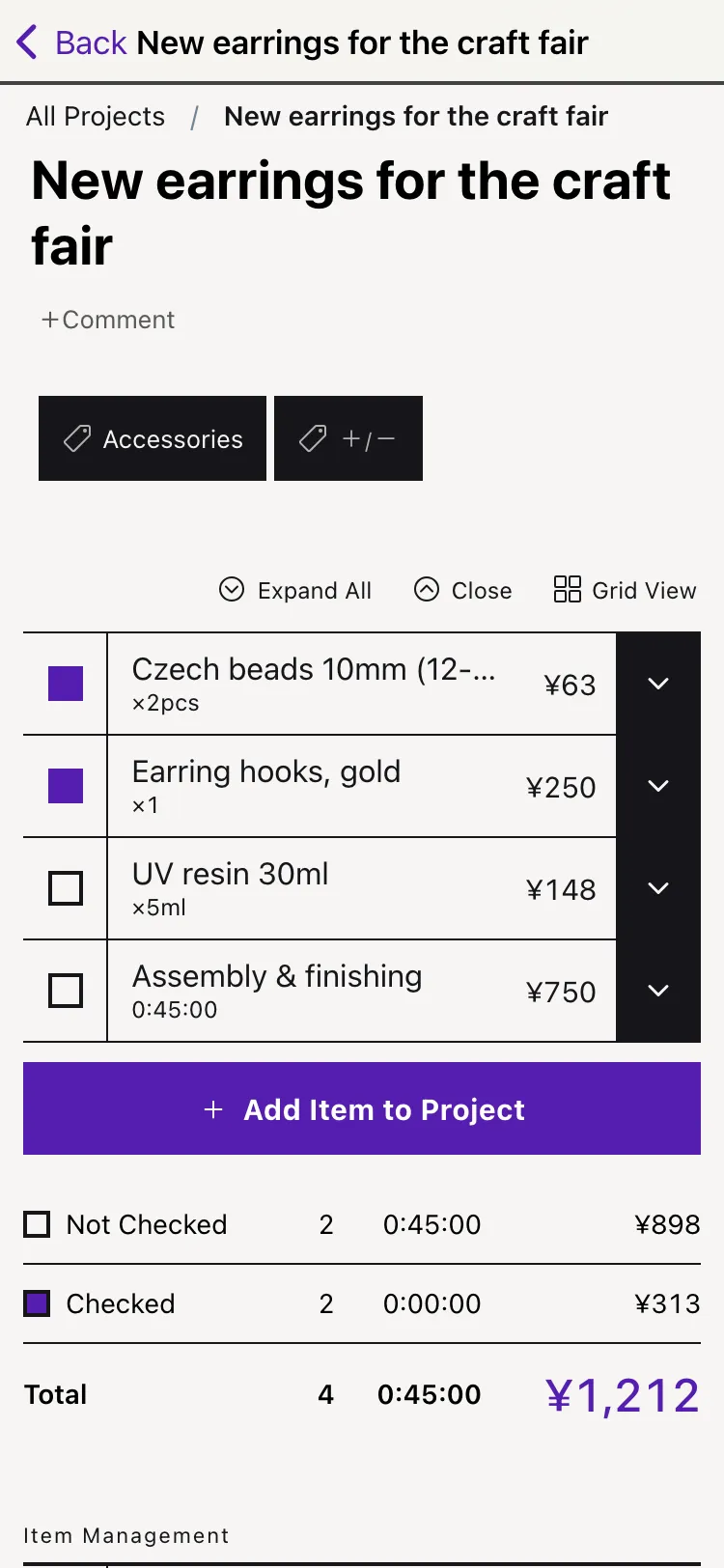
Keep your hands making.
A calculator for every situation
By the piece, by volume, by the hour. The fiddly division is Kanau’s job now.
Your hours count
Time your work sessions and tally them up. See what a piece is worth when your time is paid fairly.
Organize with tags
“Consignment”, “craft fair” — tag projects any way you like and filter them in one tap.
Photos and links, attached
Keep material photos and shop links right on the item. Copied an image? Just paste it.
Integrations
Manage data through Claude, save pages with a bookmarklet, or share from Safari in one tap.
Dark & minimal
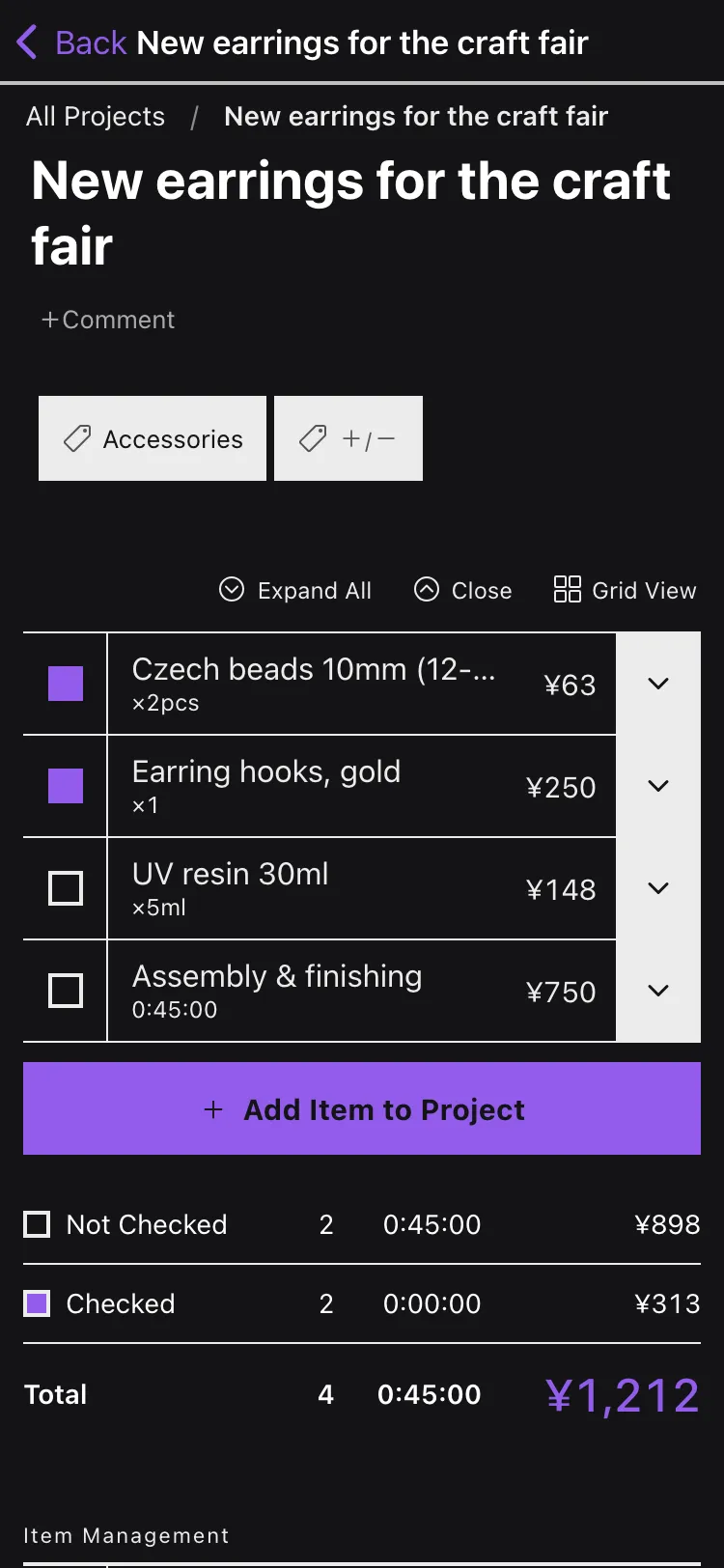
Minimal mode strips the screen down to the essentials. Dark mode included.
Your key color, your call.
In the app, you can shift the accent to any hue you like. Try it right here — this is the same slider as the app’s display settings.
On iPhone, iPad,
and your computer.
Everything syncs on its own. And with the web version, your data follows you to Android phones and Windows PCs too.
*The dedicated Android app was discontinued in September 2024. On Android, please use the web version.
Start free.
Upgrade when you need to.
- ✓Automatic material-cost calculation
- ✓Time tracking & hourly conversion
- ✓Photos, URLs, tags, checklists
- ✓Multi-device sync
- +Search across projects & items
- +Public pages for your works
- +Claude integration (MCP)
Still making.
- Fixed an issue where item names and comments containing certain symbols were sometimes not displayed correctly in search results
- Made improvements to strengthen the app’s security
- Fixed an issue where the photo picker didn’t open when adding an image to a project or item
- You can now add a project image by pasting it from the clipboard
- The add-image button for a project is now shown before you start editing
- Fixed an issue where, after returning to the app, going to the project list sometimes sent you back to the previous project
- Changed the URL field to a comment field on the screen for adding items from the share sheet or bookmarklet
- Fixed an issue where items added from another device or the bookmarklet sometimes didn’t appear on an already-open screen
- Fixed an issue where the item order didn’t update right after saving a reorder
- Fixed an issue where duplicating an item could take tens of seconds
- Fixed an issue where tapping Duplicate or Move repeatedly created duplicate items
- Adjusted the layout of the Duplicate/Move screen